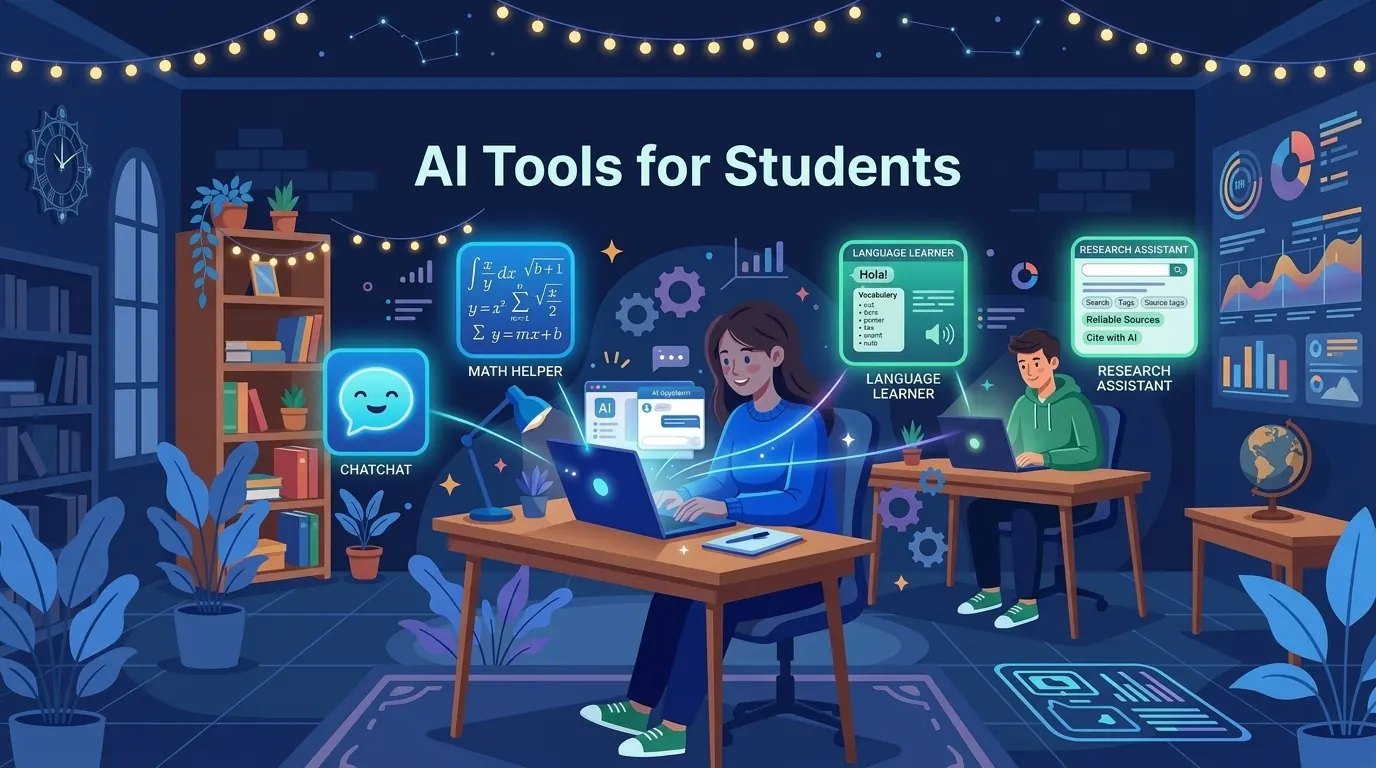
Most "best AI tools for students" articles are written by people who last studied in 2019 and are reciting a PR-approved list of tools they have never actually opened. This one is not.
I have used all of these tools. Some I use daily. I am going to tell you what they are actually good for, what their real limitations are, and, because you are probably a student with a budget, exactly what you can get for free versus what actually requires payment.
The short version: free tiers have gotten genuinely good in 2026. You do not need to spend money to get real value. Here is what is worth your time.
The quick picks
Before the full breakdown, here is where to start if you want three tools and nothing else:
- ChatGPT (free) for general-purpose AI, writing, study help, and explanations.
- Perplexity AI (free) for research with real citations, better than Google for academic topics.
- Wolfram Alpha (free) for math and science problems. No other tool comes close.
Those three cost nothing and cover the majority of what students actually need AI for. Everything below is a deeper dive into specific use cases.
Writing and research
1. ChatGPT: best all-round study tool
Free tier: yes, with daily limits. No credit card required. Paid tier: $20 per month (Plus).
ChatGPT is the tool most students already know about, and for good reason. It is the most capable all-round AI assistant available, and the free tier gives you genuine access to GPT-5 (OpenAI's current flagship model) with some daily usage limits.
For students, the most valuable use cases are:
- Getting explanations of difficult concepts. Ask it to explain a topic like you are a complete beginner, then ask it to go deeper once you understand the basics. Genuinely better than most textbooks at this.
- Drafting and improving writing. Give it your rough draft and ask for specific feedback. Not "make it better," but "identify where the argument is unclear" or "does this thesis statement actually match what I argue in section 3?"
- Research summaries. Paste in a research paper abstract or a few paragraphs and ask it to pull out the key points or explain the methodology.
- Coding help. For computer science students, ChatGPT can explain errors, suggest fixes, and walk through unfamiliar syntax.
- Generating practice questions. Paste a topic or set of notes and ask it to create 10 exam-style questions. Then quiz yourself.
- Language learning. Have short conversations in the language you are studying, ask for corrections, and get instant feedback.
The free tier's main limitation is that you will hit usage caps if you are using it heavily every day. At that point, Plus is worth considering, but most students find the free tier more than enough for regular study use.
Try ChatGPT. Full review: ChatGPT beginner's guide.
2. Claude: best for long papers and essay feedback
Free tier: yes, with daily limits. No credit card required. Paid tier: $20 per month (Pro).
Claude is made by Anthropic and is, in my view, the most underrated AI tool for academic work. While ChatGPT is better known, Claude often produces more nuanced, carefully reasoned responses, which matters a lot when you are working on academic writing.
The feature that sets Claude apart for students is its 200,000 token context window. In plain language, this means you can paste an entire research paper, thesis chapter, or book section into the conversation and Claude will actually work with all of it. Most AI tools start degrading in quality once you exceed a certain document length. Claude does not.
Practical uses for students:
- Feedback on long essays. Paste your whole essay and ask for genuine critique. Claude will engage with your argument, not just rewrite sentences.
- Summarizing dense academic papers. Drop in a journal article and ask for a plain-English summary, key findings, and methodological notes.
- Brainstorming thesis structures. Describe your topic and what you have found in your research, and ask it to suggest how you might structure an argument.
- Comparing multiple sources. Paste several papers on the same topic and ask Claude to identify agreements, disagreements, and gaps.
- Writing feedback that reads like a real professor. Ask Claude to critique your essay as a professor would, focusing on argument structure, evidence, and clarity.
Like ChatGPT, there are daily limits on the free tier. For most students, those limits are enough. See the Claude review for a deeper look.
For a full comparison of these two tools, read the Claude vs ChatGPT breakdown.
3. Perplexity AI: best for research with sources
Free tier: yes, unlimited basic searches, 5 Pro searches per day. Paid tier: $20 per month (Pro).
Perplexity is an AI-powered search engine that answers your questions with real cited sources. It is different from ChatGPT and Claude in that it always searches the web before responding, which means the information is current and you can see exactly where each piece of information came from.
For students, this matters enormously. When you ask ChatGPT a factual question, you cannot always verify where that information came from. When you ask Perplexity, every claim is linked to a source, usually a Wikipedia article, academic journal, news outlet, or reputable website. You can click through and verify anything.
The best use case is early-stage research: getting an overview of a topic, finding key papers and researchers in a field, and understanding the landscape before you go into library databases. It will not replace academic databases like JSTOR or Google Scholar, but it makes the initial research phase faster.
Perplexity Spaces (on Pro) lets you create project-based research folders. Attach your syllabus, previous notes, and course materials, and every search inside that Space uses the context. Powerful for term-long research projects.
One honest caveat: like all AI tools, Perplexity can get things wrong. The citations help you catch errors, but always read the actual source before including anything in academic work.
Try Perplexity AI or read the full Perplexity review to see how it compares to Google for research.
4. Grammarly: best for polishing academic writing
Free tier: yes, grammar, spelling, punctuation, basic clarity. Paid tier: around $12 per month (Premium, varies by plan).
Grammarly runs quietly in the background as a browser extension and catches writing errors in real time inside Google Docs, your university's submission portal, email, and anywhere you type on the web.
The free tier covers the most important things: grammar, spelling, punctuation, sentence clarity, and overused words. For most students, that is all they need. It will catch errors your own eyes miss after you have been staring at an essay for three hours, which is practically every student at 1am before a deadline.
The paid tier adds AI-powered rewriting suggestions, tone detection, vocabulary enhancement, and plagiarism detection against published content. The plagiarism checker alone makes Premium worth considering if you write a lot of academic content and want peace of mind before submitting.
Install it as a browser extension and forget about it. It works automatically. See the Grammarly review for full details.
5. QuillBot: best for paraphrasing and summarizing
Free tier: yes, paraphrasing up to 125 words at a time, summarizer with limits. Paid tier: $9.95 per month (Premium).
QuillBot does two things well: paraphrasing text and summarizing documents. Both are useful for students who need to reference source material in their own words or condense a long reading into key points before a class.
The free paraphrasing tool is limited to 125 words per pass, which is frustrating when you need to rephrase a longer paragraph. The premium tier removes that limit and adds more paraphrase modes, a plagiarism checker, and a grammar checker.
For occasional use, the free tier is fine. If you are writing a lot of research-heavy content where you regularly need to paraphrase academic sources, Premium is worth considering.
One honest note: use paraphrasing as a tool for learning and clarity, not as a way to disguise unoriginal thinking. Submitting paraphrased content without genuine understanding still will not produce good work.
Studying and note-taking
6. Otter.ai: best for transcribing lectures
Free tier: yes, 300 minutes of transcription per month, 3 audio/video imports. Paid tier: $16.99 per month (Pro).
Otter.ai records and transcribes audio in real time. Turn it on at the start of a lecture and you get a full written transcript with speaker labels, searchable text, and timestamps by the time you walk out.
For students in lecture-heavy courses, this is one of the most practically useful tools on this list. Instead of frantically writing notes while trying to listen, you can focus on understanding and leave the verbatim capture to Otter. Come back to the transcript later to review and annotate.
The free tier's 300 minutes per month is generous for occasional use, roughly five to six one-hour lectures. If you are in three or four lecture-heavy courses at once, you will hit the limit and need to decide whether Pro is worth it.
Works best with clear audio in a quiet room. Open lecture theatres with ambient noise produce less accurate transcripts.
Tip: use Otter's AI summary feature after each lecture to get a quick review. Then compare the summary to your own notes to check what you might have missed.
7. Notion AI: best for organizing notes with AI
Free tier: Notion is free, with a small one-time batch of complimentary AI responses. Paid tier: AI now requires the Business plan at $20 per member per month.
Notion is a notes and organization app that a huge number of students already use. Notion AI lets you summarize your notes, ask questions about documents you have saved, generate outlines, and write within the Notion editor with AI assistance.
Watch the pricing here, because it changed and most guides have not caught up. Notion killed the standalone $10 AI add-on and folded full AI into the Business tier at $20 per member per month. There is no longer any way to bolt AI onto a cheaper plan. For a student paying out of pocket, that is a meaningful jump, and I went through whether it is worth it in the Notion AI review.
If you already use Notion heavily, the AI is genuinely useful. You can dump all your research and lecture notes into a database and then ask AI questions across all of it. It essentially becomes a searchable, conversational version of your notes.
If you do not use Notion, the learning curve to set up a useful workspace is not trivial. For straightforward note-taking with AI assistance, a combination of a free notes app plus ChatGPT might be more practical.
Notion offers a free education tier for students, which is worth claiming through your school email regardless. Verify what AI access it actually includes before you count on it, though. Since Notion moved full AI to the Business plan, education perks tied to the Plus tier do not automatically carry the complete AI feature set.
8. NotebookLM: best free AI research assistant from Google
Free tier: fully free with a Google account. Paid tier: none as of 2026.
NotebookLM is Google's AI research tool built specifically around your own uploaded documents. Upload PDFs, articles, and notes for a course, and NotebookLM becomes an AI you can chat with about only those materials.
For students, this is huge. You can upload every PDF for a course and then ask questions like "explain the difference between the arguments in reading 3 and reading 5" or "what is the main claim of paper 2?" NotebookLM answers with citations to the specific documents.
Also generates audio "podcast" summaries of your source material. Weirdly useful for review while walking or commuting.
Math and STEM
9. Wolfram Alpha: best for math and science
Free tier: yes, answers and computations for most problems. Paid tier: $7.25 per month (Pro) for step-by-step solutions.
Wolfram Alpha has been around for years and is still, in 2026, the single most powerful tool for math and science students. It solves equations, does symbolic algebra, calculus, statistics, unit conversions, chemistry calculations, physics problems, and much more, and it shows you what the answer actually means in context.
The free tier gives you correct answers to an enormous range of problems. The Pro tier adds step-by-step working, which is where the real learning value is. Seeing exactly how Wolfram Alpha broke down a calculus integral or statistical test helps you understand the method, not just the answer.
For STEM students: this should be in your toolkit alongside your textbooks. It does not replace understanding, but when you are checking your working on a practice problem at midnight, there is nothing better.
10. Photomath: best for quick math problem-solving
Free tier: yes, scan and solve problems, basic solutions shown. Paid tier: around $9.99 per month (Plus) for full step-by-step explanations.
Photomath is the camera-based math tool. Point your phone at a handwritten or printed math problem and it solves it instantly. Free tier shows you the answer. Paid tier shows the full working.
It is most useful for secondary school and early undergraduate math, meaning algebra, trigonometry, and basic calculus. For complex graduate-level math, Wolfram Alpha is more capable.
The most effective way to use it: solve the problem yourself first, then use Photomath to check. If you got it wrong, work backwards from the solution to understand where your reasoning diverged. Do not just copy the answer. That is how you get to an exam and blank on a problem you have "done" twenty times.
Coding
11. GitHub Copilot: free for verified students
Free tier: free for students via GitHub Student Developer Pack. Regular price: $10 per month (Individual).
GitHub Copilot is an AI code completion tool built into VS Code, JetBrains IDEs, and other editors. As you write code, it suggests the next line, or the next twenty lines, based on context. It handles repetitive boilerplate, generates function implementations from comment descriptions, and can explain code you are reading.
For computer science students, the standout fact is this: GitHub Copilot is free with verified student status. Go to education.github.com, verify with a .edu email or student ID, and you get Copilot free as part of the GitHub Student Developer Pack, along with dozens of other developer tools that normally cost money.
The pack includes free credits for cloud platforms, design tools, and more. If you are in any kind of tech or software program, getting this verified should be one of the first things you do.
Honest note: Copilot is a writing aid, not a replacement for understanding. If you cannot read and debug the code it suggests, you will not pass practical exams or technical interviews. Use it to move faster, not to avoid learning.
Apply for GitHub Student Developer Pack.
12. Replit: best for coding in the browser
Free tier: yes, browser-based coding environment with basic AI features. Paid tier: $25 per month (Core) for more AI and compute.
Replit is a browser-based coding environment where you can write and run code without installing anything. For students who cannot install software on a shared or university-managed computer, or who want to prototype something quickly, this is invaluable.
The AI features help explain code, suggest fixes, and generate small functions. They are not as capable as Copilot, but the combination of a zero-setup coding environment with decent AI assistance makes Replit genuinely useful for beginners.
Replit also has a strong community around building small apps, games, and web tools. Great for CS students who want to see what other beginners are making.
Presentations and design
13. Gamma: best for AI-generated presentations
Free tier: yes, 400 AI credits on signup (enough for several presentations). Paid tier: $8 per month (Plus).
Gamma generates complete, structured slide decks from a text prompt or outline. Type "10-minute presentation on the causes of the First World War for a history class" and within a minute you have a full deck with logical structure, suggested content, and visual design.
The output will not win a design award, but it is a solid, professional-looking starting point, and infinitely better than staring at a blank PowerPoint with a deadline looming. Edit the content, adjust the design, and personalize it from there.
The free credits are enough for most occasional presentation needs. Heavy users (anyone making presentations weekly) will run through them quickly.
14. Canva AI: best for visual study materials
Free tier: yes, free tier includes AI features. Also free via Canva for Education. Paid tier: $15 per month (Pro).
Canva is primarily a graphic design tool, but its AI features (Magic Media for image generation, AI-powered design suggestions, and text-to-design capabilities) make it useful for students creating posters, infographics, presentations, and study summaries.
The education program gives students access to Canva Pro for free if verified through a school email. This is worth checking before paying for anything.
For study materials specifically, Canva is excellent for making information visual: turning a dense set of notes into a clean summary diagram, building flashcard-style visual aids, or creating presentation slides that do not look like default PowerPoint templates.
AI tutoring
15. Khanmigo by Khan Academy: best free AI tutor
Free tier: available through Khan Academy (check current pricing at khanacademy.org). For: K-12 students and anyone using Khan Academy's courses.
Khanmigo is Khan Academy's AI tutor, built on top of GPT technology but specifically designed for education. The key design principle is that it does not just give you answers. It guides you toward understanding by asking questions, the way a good tutor would.
Ask it to explain a math concept and it will walk you through it step by step, check your understanding, and adapt if you are still confused. This is the Socratic method, applied by an AI, available at any time of day.
For students using Khan Academy's courses already (which cover math, science, computing, history, and more) Khanmigo integrates directly with the course material. It knows what you are studying and can answer questions in that context.
Bonus: Microsoft Copilot
Free tier: yes, fully free, no usage caps for basic chat. For: students already in the Microsoft ecosystem.
If your university provides Microsoft 365 (Word, PowerPoint, OneNote, Teams), Microsoft Copilot integrates directly into those apps. Ask it to summarize your OneNote notebooks, draft sections of a Word document, or create a presentation from a document outline, without leaving the tools you are already using.
The standalone Copilot at copilot.microsoft.com is also completely free with no daily usage caps, which makes it useful when you have hit ChatGPT's free-tier limits. It runs on GPT-4-class models and produces quality comparable to ChatGPT free tier.
The full comparison table
| Tool | Best for | Free tier | Paid plan |
|---|---|---|---|
| ChatGPT | Writing, explanations, coding | Yes (limits) | $20 per month |
| Claude | Long papers, essay feedback | Yes (limits) | $20 per month |
| Perplexity AI | Research with citations | Yes (limits) | $20 per month |
| Grammarly | Grammar and writing polish | Yes (basic) | around $12 per month |
| QuillBot | Paraphrasing, summarizing | Yes (limits) | $9.95 per month |
| Otter.ai | Lecture transcription | Yes (300 min) | $16.99 per month |
| Notion AI | AI-powered note-taking | Trial responses only | $20 per member on Business |
| NotebookLM | Study your own source material | Yes, free | None |
| Wolfram Alpha | Math and science | Yes | $7.25 per month |
| Photomath | Quick math on mobile | Yes (basic) | around $9.99 per month |
| GitHub Copilot | Coding assistance | Free for students | $10 per month |
| Replit | Browser-based coding | Yes | $25 per month |
| Gamma | AI presentations | Yes (credits) | $8 per month |
| Canva AI | Visual design, infographics | Yes | $15 per month |
| Khanmigo | AI tutoring | Check site | Varies |
| Microsoft Copilot | Microsoft 365 integration | Yes, fully free | None |
How to actually use these without getting lazy
There is an honest conversation to have here that most lists avoid.
AI tools can either make you smarter or make you dependent, and the difference is entirely in how you use them. If you use ChatGPT to get an explanation of something you did not understand and then test yourself on it, you have learned faster. If you use it to generate an essay you submit without understanding what it says, you have paid tuition fees to learn nothing.
The students who benefit most from these tools use them the way they would use a really good tutor or a very patient study partner. To explain things, challenge their thinking, check their work, and help them understand where they went wrong. That is what AI is actually good at. The shortcut version, meaning generating answers and submitting them, does not survive exams, interviews, or real work.
Use these tools to understand things faster, not to avoid understanding them.
The academic integrity conversation
Every school has different rules. Some allow AI as a study aid, some allow it for brainstorming and drafting, some ban it entirely for graded work. The one universal rule: know your specific institution's policy and stay well within it.
Practical guidelines that keep you safe across most policies:
Use AI to explain, not to answer. If AI helps you understand a topic well enough to write your own essay, that is normal studying.
Do not submit AI-generated text as your own. Even if detection tools miss it, it is a policy violation at most institutions and it hurts your learning.
Cite AI when your assignment permits it. Some assignments now allow or require AI disclosure. Follow the instructions.
Ask before you use. If in doubt, ask your professor or check the course policy. A one-line email is safer than a plagiarism hearing.
Keep your own notes. Never let AI be the only place your thinking lives. Your own written and typed notes are proof of your process if questions ever come up.
A realistic AI study workflow
Here is what a working student's AI-supported day looks like.
Morning: use NotebookLM or Perplexity to research a topic for an upcoming essay. Save the sources and citations.
Class time: run Otter.ai to transcribe the lecture. Focus on understanding rather than typing.
Afternoon review: ask Claude or ChatGPT to explain concepts from the lecture that were unclear. Generate 10 practice questions on the topic.
Essay drafting: write your own outline first. Then use Claude to critique the structure. Draft each section yourself. Ask Claude for feedback on argument clarity, not word-level rewrites.
Late night polish: run the essay through Grammarly. Read it out loud one more time. Submit.
This workflow uses AI at every step but produces work that is genuinely yours. It teaches you the material because you are actively thinking at every stage.
Where to start today
If you have never used any AI tool seriously:
- Set up ChatGPT and use it on your actual coursework this week. Not test prompts, real material from a class you are in.
- Install the Grammarly browser extension and let it run in the background. You will notice the difference immediately.
- Next time you need to research something for an assignment, start with Perplexity before opening Google. Compare the experience.
If you are a computer science or engineering student:
- Apply for the GitHub Student Developer Pack today. Copilot alone is worth it, and the rest of the pack adds up to real money.
If you are in a STEM discipline:
- Bookmark Wolfram Alpha and use it to check your practice problem working.
If you have a lot of PDFs and readings:
- Set up NotebookLM and upload your course materials. You will use it every week.
That is your toolkit. Free, practical, and genuinely useful.
Common student mistakes with AI
Three patterns I see all the time.
Pasting entire assignment prompts into ChatGPT and submitting the output. Never works long term. Detection tools improve, professors get better at spotting it, and you learn nothing.
Trusting AI output without verifying. AI hallucinates. Every citation, statistic, and specific fact needs a real source check before it goes in your work.
Using AI as your only source. AI is a helpful assistant, not a substitute for reading. You need your own reading and thinking to have genuine expertise on a topic.
Avoid these three and AI becomes a study accelerator rather than a shortcut to mediocre grades.
See also: 12 Best Free AI Tools You Can Use Right Now covers the broader list beyond student-specific tools. ChatGPT beginner's guide covers the basics if you are new.